To get the best logging results during development, enable debug logging for your broker instances in Runtime Manager.
Set these categories to DEBUG:
For Agent Broker:
com.mulesoft.modules.agent.brokerFor LLM Reasoning:
INSECURE-LOGGINGIn Runtime Manager, select your broker application and set both categories to DEBUG.
Note: By default, broker logs include actions but exclude reasoning data due to potential PII concerns.
Agent Network Tracer provides observability for MuleSoft Agent Fabric, helping you visualize, trace, and debug agent broker networks and their interactions.
This application is read-only and designed for observability and debugging purposes. It does not modify, create, or delete any data in your Anypoint Platform account.
When you authorize this application, you will see a dialog similar to the one shown below. All requested permissions are read-only and used solely for viewing and analyzing your agent network data.
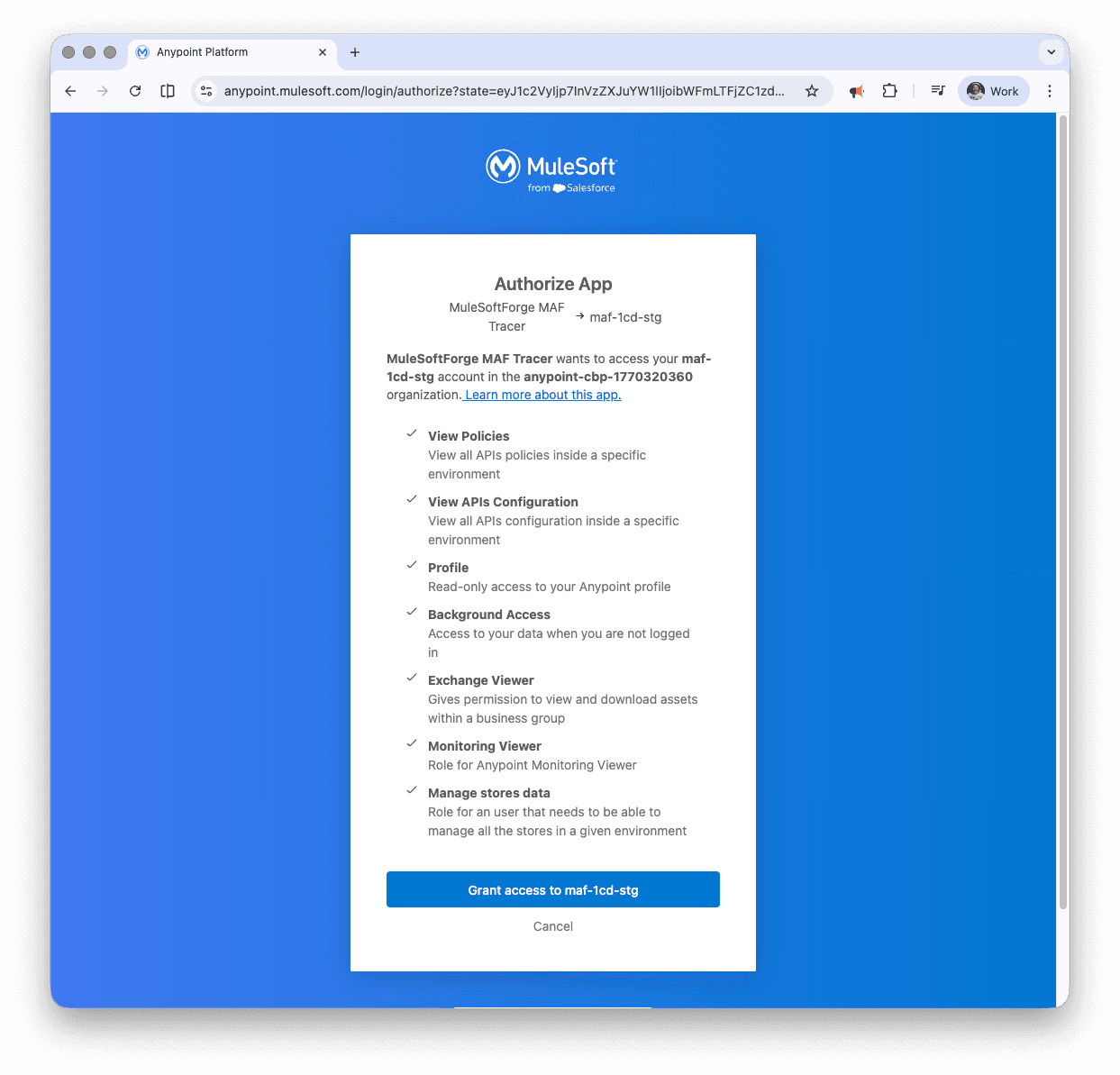
The permissions requested include:
This application uses Anypoint Platform's Connected Apps feature to securely access your data with read-only permissions. Connected Apps allow you to delegate API access to third-party applications using your Anypoint Platform credentials.
For more information about Connected Apps and how to manage them, see the Connected Apps for End Users documentation.
You can manage authorized applications in your profile settings by clicking your profile icon and selecting Profile. From there, you can view which applications have access to your data and revoke access at any time.
This application follows security best practices: